This is a text-only version of the following page on https://raymii.org:
---
Title : Kubernetes (k3s) Ingress for different domains (virtual hosts)
Author : Remy van Elst
Date : 10-07-2024 20:39
URL : https://raymii.org/s/tutorials/Kubernetes_k3s_Ingress_for_different_domains_like_virtual_hosts.html
Format : Markdown/HTML
---
Now that I have a [high-available local kubernetes cluster](/s/tutorials/High_Available_k3s_kubernetes_cluster_with_keepalived_galera_and_longhorn.html) it's time to learn not just managing the cluster but actually deploying some services on there. Most examples online use a `NodePort` or a `LoadBalancer` to expose a service on a port, but I want to have domains, like, `grafana.homelab.mydomain.org` instead of `192.0.2.50:3000`. Back in the old days this was called [Virtual Host](https://web.archive.org/web/20240515131604/https://httpd.apache.org/docs/2.4/vhosts/), using 1 IP for multiple domains. My k3s cluster uses `traefik` for its incoming traffic and by defining an `Ingress` we can route a domain to a service (like a `ClusterIP`). This page will show you how.
Here's a screenshot of `echoapp` running on a resolvable actual domain:

The version of [Kubernetes/k3s](https://docs.k3s.io/release-notes/v1.29.X) I use
for this article is `v1.29.6+k3s1`.
[Ingress]
(https://web.archive.org/web/20240613111032/https://kubernetes.io/docs/concepts/services-networking/ingress/)
is already being replaced by the [Gateway API]
(https://web.archive.org/web/20240605141115/https://kubernetes.io/docs/concepts/services-networking/gateway/)
and if using `traefik`, which `k3s` does by default, you have more
flexibility with an [IngressRoute]
(https://web.archive.org/web/20240508224917/https://doc.traefik.io/traefik/providers/kubernetes-crd/).
But, as far as I can tell, `Gateway API` is not really stable yet and for
simplicity's sake I'm using `Ingress` instead of `IngressRoute`. If I later
want to swap out `traefik` for `nginx` my other stuff should just keep
working.
I assume you have `k3s` up and running and have `kubectl` configured on your
local admin workstation. If not, consult my [previous high available k3s article](/s/tutorials/High_Available_k3s_kubernetes_cluster_with_keepalived_galera_and_longhorn.html)
for more info on my specific setup.
### DNS Configuration
For this setup to work you must create DNS records pointing to [the high available IP](/s/tutorials/High_Available_k3s_kubernetes_cluster_with_keepalived_galera_and_longhorn.html)
of your Kubernetes cluster. I created one regular A record and a wildcard:
dig +short k3s.homelab.mydomain.org
Output:
192.0.2.50
Same for `*.k3s.homelab.mydomain.org`.
Setup differs per domain provider or if you have your own DNS servers so I'm not showing that here. You could, for local purposes, also put the domain name in your local `/etc/hosts` file (and on your k3s nodes as well).
### Deployment
For the example I'm using a very simple application, the [echoserver from
Marchandise Rudy](https://github.com/Ealenn/Echo-Server).
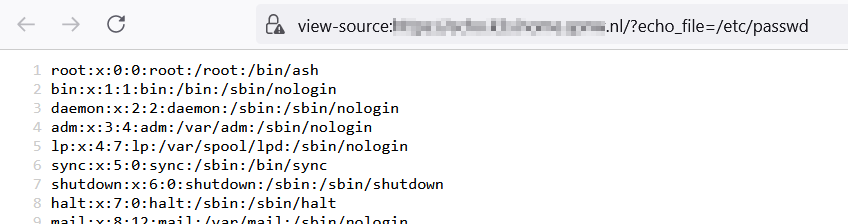
Do note that this app can [read arbitrary files and expose them]
(https://github.com/Ealenn/Echo-Server?tab=readme-ov-file#filefolder-explorer),
so don't run this somewhere that has sensitive data. Appending the
`/?echo_file=/` URL parameter allows you to view any file the app has access
to:
The domain name I'm using is `echo.homelab.mydomain.org`.
Create a folder for the yaml files:
mkdir echoapp
cd echoapp
Create a namespace to keep things tidy:
kubectl create ns echoapp
Create the deployment file:
vim echoapp-deployment.yaml
Contents:
apiVersion: apps/v1
kind: Deployment
metadata:
name: echo-deployment
labels:
app: echo
spec:
replicas: 3
selector:
matchLabels:
app: echo
template:
metadata:
labels:
app: echo
spec:
containers:
- name: echo
image: ealen/echo-server:latest
ports:
- containerPort: 80
livenessProbe:
httpGet:
path: "/?echo_code=200"
port: 80
readinessProbe:
httpGet:
path: "/?echo_code=200"
port: 80
---
apiVersion: v1
kind: Service
metadata:
name: echo-service
spec:
ports:
- port: 80
selector:
app: echo
Apply the file:
kubectl -n echoapp apply -f echoapp-deployment.yaml
This is a fairly standard deployment file with a `Deployment` and a `Service`.
I've included a `livenessProbe` and a `readynessProbe` for fun, but in this
case those don't offer much of value.
In Kubernetes, liveness and readiness probes are used to check the health of
your containers.
- Liveness Probe: Kubernetes uses liveness probes to know when to restart a
container. For instance, if your application had a deadlock and is no
longer able to handle requests, restarting the container can make the
application more available despite the bug.
- Readiness Probe: Kubernetes uses readiness probes to decide when the
container is available for accepting traffic. The readiness probe is used
to control which pods are used as the backends for services. When a pod is
not ready, it is removed from service load balancers.
Test the deployment by creating either a `NodePort` or a `LoadBalancer`:
kubectl expose service echo-service --type=NodePort --port
9090 --target-port=80 --name=echo-service-np --namespace echoapp
or:
kubectl expose service
echo-service --type=LoadBalancer --port=9191 --target-port=80 --name=echo-service-ext
--namespace echoapp
Get the newly created port/loadbalancer:
kubectl -n echoapp get services
Output:
NAME TYPE CLUSTER-IP EXTERNAL-IP PORT(S) AGE
echo-service ClusterIP 10.43.188.135 80/TCP 9m5s
echo-service-ext LoadBalancer 10.43.93.211 192.0.2.61,192.0.2.62,192.0.2.63 9191:30704/TCP 29s
echo-service-np NodePort 10.43.10.130 9090:30564/TCP 77s
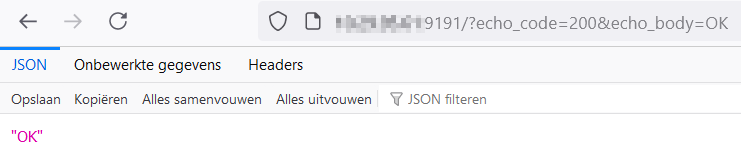
Access that `ip:port` combo in your browser and you should see the app working:
### Ingress
To make this deployment available via a hostname and not an `ip:port` combo
you must create an [Ingress]
(https://web.archive.org/web/20240613111032/https://kubernetes.io/docs/concepts/services-networking/ingress/)
resource.
An `Ingress` needs `apiVersion`, `kind`, `metadata` and `spec` fields. The name of an
`Ingress` object must be a valid DNS (sub)domain name.
Create the file containing your `Ingress` yaml:
vim echoapp-ingress.yaml
Contents:
apiVersion: networking.k8s.io/v1
kind: Ingress
metadata:
name: echo-ingress
spec:
rules:
- host: echo.k3s.homelab.mydomain.org
http:
paths:
- pathType: Prefix
path: "/"
backend:
service:
name: echo-service
port:
number: 80
The file contents are fairly simple and speak for themselves, the most important parts are:
- `host: echo.k3s.homelab.mydomain.org` - the DNS domain you want the service to be available on.
- `backend.service.name` - must match the `Service` resource
- `backend.service.port` - must match the `Service` port
Apply the file:
kubectl -n echoapp apply -f echoapp-ingress.yaml
After a few second you should be able to see your `Ingress`:
kubectl -n echoapp get ingress
Output:
NAME CLASS HOSTS ADDRESS PORTS AGE
echo-ingress echo.k3s.homelab.mydomain.org 192.0.2.60,192.0.2.61,192.0.2.62,192.0.2.63 80, 443 2d23h
Try to access the domain name in your web-browser, you should see the page right away.
### Traefik 503 instead of 404 on if the targeted Service has no endpoints available.
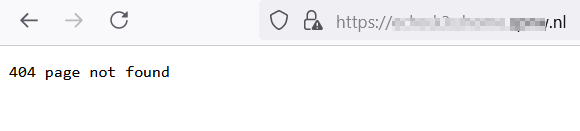
One odd thing I noticed when experimenting with `Ingress` is if your
configuration is wrong or you try to access a `Service` which has a failed
`Deployment`, you'll get an HTTP 404 error. I'd expect a 503, since there is
no server available, not a Not Found error.
When there are no `Pods` running with the default config:
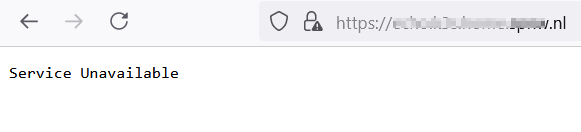
With the "fixed" config:
To [fix this](https://web.archive.org/web/20240710180745/https://doc.traefik.io/traefik/providers/kubernetes-ingress/#allowemptyservices),
in the specific `k3s` server setup I use, you must create the following file **on each k3s server node**:
vim /var/lib/rancher/k3s/server/manifests/traefik-config.yaml
Add the following:
apiVersion: helm.cattle.io/v1
kind: HelmChartConfig
metadata:
name: traefik
namespace: kube-system
spec:
valuesContent: |-
dashboard:
enabled: true
domain: "traefik.k3s.homelab.mydomain.org"
providers:
kubernetesIngress:
allowEmptyServices: true
This edits the default `traefik` helm chart used by `k3s` and after `systemctl
restart k3s`, you should now get a `503 Service Unavailable` error instead of
a `404 Not Found` error when a deployment failed or no pods are running.
The fact that you have to edit this file on all `k3s` server nodes is a
bummer, but it's fixable and that's nice.
---
License:
All the text on this website is free as in freedom unless stated otherwise.
This means you can use it in any way you want, you can copy it, change it
the way you like and republish it, as long as you release the (modified)
content under the same license to give others the same freedoms you've got
and place my name and a link to this site with the article as source.
This site uses Google Analytics for statistics and Google Adwords for
advertisements. You are tracked and Google knows everything about you.
Use an adblocker like ublock-origin if you don't want it.
All the code on this website is licensed under the GNU GPL v3 license
unless already licensed under a license which does not allows this form
of licensing or if another license is stated on that page / in that software:
This program is free software: you can redistribute it and/or modify
it under the terms of the GNU General Public License as published by
the Free Software Foundation, either version 3 of the License, or
(at your option) any later version.
This program is distributed in the hope that it will be useful,
but WITHOUT ANY WARRANTY; without even the implied warranty of
MERCHANTABILITY or FITNESS FOR A PARTICULAR PURPOSE. See the
GNU General Public License for more details.
You should have received a copy of the GNU General Public License
along with this program. If not, see .
Just to be clear, the information on this website is for meant for educational
purposes and you use it at your own risk. I do not take responsibility if you
screw something up. Use common sense, do not 'rm -rf /' as root for example.
If you have any questions then do not hesitate to contact me.
See https://raymii.org/s/static/About.html for details.